If you are still trying to plan your travel itinerary, do not worry, artificial intelligence can help you out!Google’s AI tools are designed to do the heavy lifting for us, from curating the perfect travel itinerary to finding the best deals.First, let’s talk about Canvas!It’s a tool in AI mode that can help you organize your plans over a specific period of time.Here is how it works:Once you search “Google Canvas,” lay out what type of trip you are planning, then click on the option “Create Canvas.” If you want a quick response, make sure to select the “fast” option next to the chat box. Here is my example of using Google Canvas. I asked the platform to help me map out the ideal Thanksgiving travel itinerary from Winston-Salem to Hampton Roads, Virginia: Another option to help you travel more easily is Gemini through Google Maps.This new feature allows you to have a hands-free driving experience in which you can ask the platform specific questions related to your commute.From quick traffic changes to specific routes and nearby businesses, all you have to do is say “Hey Google,” ask a specific question and Gemini will take it from there. “You can even ask it really specific things, like what is the nearest gas station with the cheapest gas? Or is there a Mexican restaurant nearby?” Andrea Willis, a Google Trends expert, said. “I think everything from your traffic details to, like, really personalized shopping experiences, you can now find in Google Maps just by speaking to the tool.”For those who are waiting to hit the roads Wednesday, right now, Google Trends is showing the best time to hit the road in the Piedmont Triad is before 10 a.m. If you cannot leave before then, you are recommended to drive through the 7 to 8 p.m. time frame.For a full guide on ways to use AI to plan your travel itinerary, click here.
If you are still trying to plan your travel itinerary, do not worry, artificial intelligence can help you out!
Google’s AI tools are designed to do the heavy lifting for us, from curating the perfect travel itinerary to finding the best deals.
First, let’s talk about Canvas!
It’s a tool in AI mode that can help you organize your plans over a specific period of time.
Here is how it works:
Once you search “Google Canvas,” lay out what type of trip you are planning, then click on the option “Create Canvas.” If you want a quick response, make sure to select the “fast” option next to the chat box.
Here is my example of using Google Canvas. I asked the platform to help me map out the ideal Thanksgiving travel itinerary from Winston-Salem to Hampton Roads, Virginia:
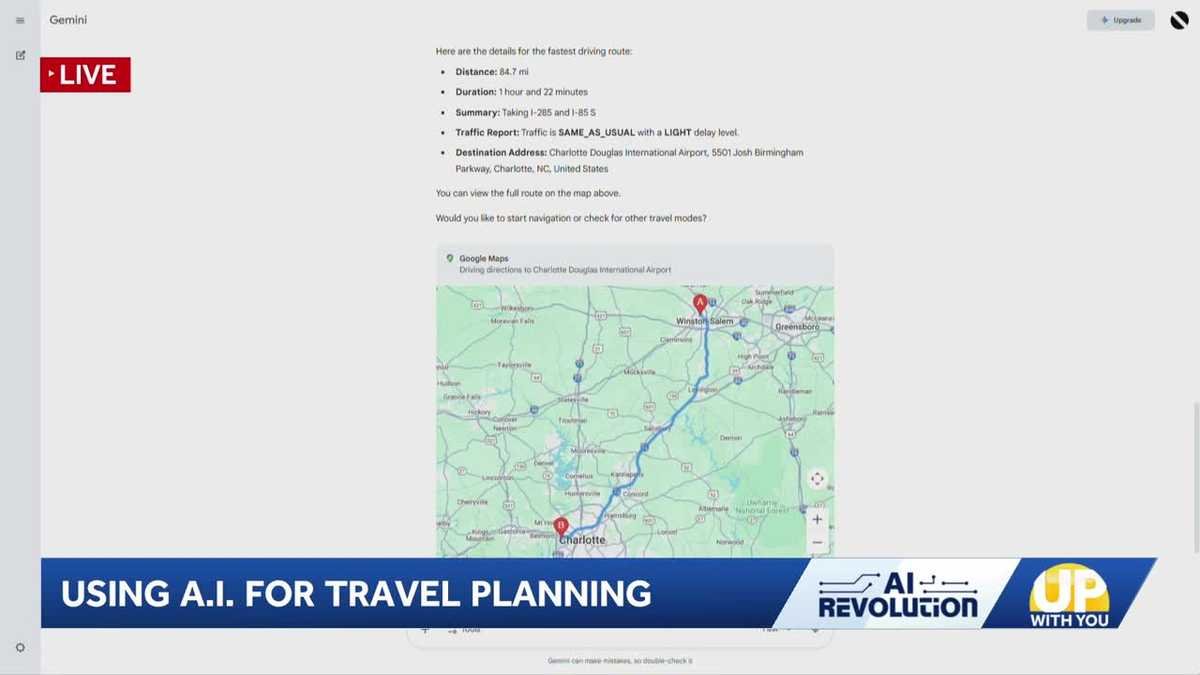
Another option to help you travel more easily is Gemini through Google Maps.
This new feature allows you to have a hands-free driving experience in which you can ask the platform specific questions related to your commute.
From quick traffic changes to specific routes and nearby businesses, all you have to do is say “Hey Google,” ask a specific question and Gemini will take it from there.
“You can even ask it really specific things, like what is the nearest gas station with the cheapest gas? Or is there a Mexican restaurant nearby?” Andrea Willis, a Google Trends expert, said. “I think everything from your traffic details to, like, really personalized shopping experiences, you can now find in Google Maps just by speaking to the tool.”
For those who are waiting to hit the roads Wednesday, right now, Google Trends is showing the best time to hit the road in the Piedmont Triad is before 10 a.m.
If you cannot leave before then, you are recommended to drive through the 7 to 8 p.m. time frame.
For a full guide on ways to use AI to plan your travel itinerary, click here.